

Why Choose a Used Laptop?
Before diving into where to look, it’s worth reaffirming the major advantage of buying used: value.
A laptop loses a significant portion of its value the moment it’s taken out of the box. By purchasing a model that is just a year or two old, you can often acquire a powerful machine with high-end features (like a fast processor, ample RAM, or a solid-state drive) for a fraction of its original cost. This depreciation works in favor of the savvy, budget-conscious buyer. Furthermore, buying used is an environmentally friendly choice, extending the lifecycle of electronics and reducing e-waste.
Your mission is to balance price with performance. A successful search is rooted in thorough preparation and knowing the best marketplaces.
Method 1: The Online Auction Powerhouse (eBay)
When the hunt for affordable electronics begins, dedicated online auction sites, with eBay being the undisputed leader, are a mandatory starting point. These platforms offer a massive inventory that often includes models and configurations you won’t find locally.
Strategy for eBay Success:
-
Refine Your Search: Don’t just search “used laptop.” Filter by specific criteria like brand, processor type (e.g., “Intel Core i5 used laptop”), RAM size, or operating system.
-
Focus on Seller Reputation: This is perhaps the most crucial element. Look for sellers with a high positive feedback score (98% or higher) and a significant number of completed transactions. High-rated sellers are more likely to provide accurate descriptions and hassle-free returns.
-
Evaluate Listing Details: Read the full product description carefully. Look for mentions of cosmetic wear, battery health (a common weak point in used laptops), and included accessories (charger, original packaging).
-
Compare Auction vs. Buy It Now: Auctions can lead to the best deals, but they require patience. “Buy It Now” listings allow for immediate purchase, often from professional refurbishers, which can provide a quicker, albeit slightly more expensive, solution.
Method 2: The E-commerce Giant’s Secondhand Selection (Amazon & Walmart Marketplace)
While often viewed as sources for new retail items, major e-commerce platforms like Amazon and the Walmart Marketplace also host vast selections of pre-owned, renewed, or refurbished goods.
Leveraging Renewed Programs:
-
Certified Refurbished/Renewed: This is generally the safest option. Products listed as “Renewed” on Amazon, for instance, are professionally inspected, tested, and cleaned by qualified suppliers. They typically come with a minimum 90-day guarantee from the provider, offering peace of mind that a private sale lacks.
-
Checking Condition: When browsing third-party sellers on these sites, look for the item’s condition rating (e.g., “Used – Like New,” “Used – Very Good,” or “Used – Acceptable”). The price will correlate directly with this grading.
-
Seller Ratings are Key: Just as on eBay, pay close attention to the individual seller’s rating, especially if the product is not explicitly part of the platform’s official “Renewed” program. High sales volume combined with positive reviews indicates reliability.
Method 3: Direct from the Local Community (Craigslist & Facebook Marketplace)
For the buyer who prefers a more direct, localized transaction—often leading to the absolute lowest prices—peer-to-peer selling platforms like Craigslist and Facebook Marketplace are invaluable tools.
The Local Advantage & Safety Precautions:
-
Location-Based Search: These platforms allow you to filter listings by proximity, enabling you to inspect the laptop in person before committing to a purchase.
-
Negotiation is Expected: Prices listed on these sites are often flexible. Be prepared to negotiate reasonably to secure an even better deal.
-
Crucial Safety Tips: Because these platforms lack seller rating systems and formal protections, exercise caution:
-
Meet in a Public Place: Always arrange the viewing and exchange in a well-lit, public location (like a coffee shop or police station parking lot).
-
Test Before Paying: Insist on powering the laptop on to verify the screen, keyboard, Wi-Fi connectivity, and general performance.
-
Bring a Friend: For added security, especially when dealing with high-value items, bring someone else with you.
-
Method 4: Professional Refurbishers and Outlet Stores
Beyond individual sellers, many large and small businesses specialize in refurbishing electronics. These are often the most reliable sources for a “cheap used laptop” because the machines have been professionally vetted.
Where to Look:
-
Manufacturer Outlet Stores: Major brands (Dell Outlet, HP Business Outlet, Lenovo Outlet) often sell refurbished or overstock items directly. These are usually certified by the manufacturer and come with a standard warranty, making them almost as safe as buying new.
-
Specialized Refurbishing Sites: Companies like Back Market or Newegg Refurbished source, repair, and resell devices. While the initial price might be slightly higher than an individual sale, the inclusion of a comprehensive warranty and quality assurance justifies the cost.
-
University Surplus Sales: Many large organizations, including universities and corporations, hold regular “surplus sales” to offload outdated or excess equipment. These can be goldmines for reliable, business-grade laptops at extremely low prices.
Method 5: Going Old School with Offline Research
Don’t overlook traditional methods! The digital age hasn’t completely eliminated the effectiveness of local, physical sourcing.

Offline Opportunities:
-
Local Classifieds (Newspaper): While less common today, checking the Sunday classified section of your local newspaper can sometimes reveal sellers who are not tech-savvy enough to post online, leading to a great, uncontested deal.
-
Pawn Shops and Local Tech Repair Stores: Pawn shops frequently have an inventory of used laptops. Tech repair shops often buy used machines, fix minor issues, and resell them. These local businesses can offer competitive prices and the benefit of face-to-face service.
-
Garage and Estate Sales: Seasonal garage sales and organized estate sales are excellent places to find electronics that people are simply trying to liquidate quickly. The sellers are often highly motivated, opening the door for great bargains.
Final Checklist for Your Used Laptop Purchase
Once you’ve found a potential candidate, ensure you cover this final checklist to guarantee a smart investment:
-
Verify Specifications: Does the seller’s description (processor, RAM, storage) match the actual machine when you inspect it?
-
Check the Battery: Ask about the laptop’s battery life. Replacements can be expensive and negate your savings.
-
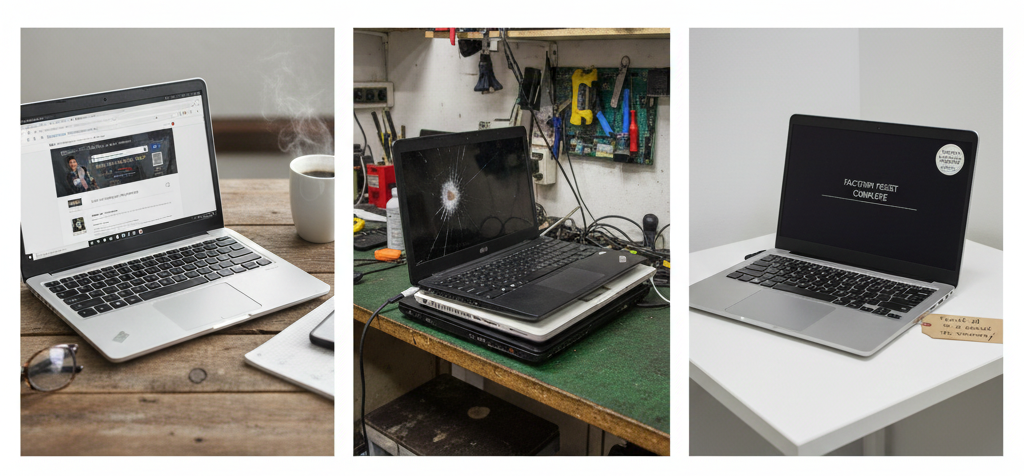
Inspect for Damage: Look for hairline cracks, loose hinges, dead pixels on the screen, or missing keys.
-
Wipe the Data: Ensure the operating system has been properly reset and all previous user data has been securely erased before you take ownership.
By systematically applying these five methods and conducting thorough research, you will be well-equipped to navigate the market and find a feature-rich, affordable used laptop that perfectly fits your requirements and budget.
